Introducing Route History: See Where Your Team Has Been

Summary
Field teams cover a lot of ground. Whether assessing storm damage, inspecting infrastructure, or conducting code enforcement sweeps, knowing where teams have already been is an important part of coordinating work.
But that information isn't always easy to find. Understanding which areas have been covered can mean checking separate tracking tools, reviewing notes, or piecing together updates from the field.
Today, we're introducing Route History, a new way to see where you and your team have been, directly on the Forerunner map.
With Route History, field staff can review their routes from today or previous days, while managers can see where team members have traveled. Routes appear alongside the properties, infrastructure, and other map layers teams already use to manage their work.
Know what's been covered and what's next
Imagine a team conducting damage assessments after a major storm. Inspectors are moving through neighborhoods, documenting conditions and identifying properties that need attention.
As work progresses, each inspector can review their route on the Forerunner mobile app to see where they've traveled. Back in the office, a manager can pull up individual team members' routes to understand which neighborhoods have been covered and where additional assessments may be needed.
And because Route History is built into Forerunner's map, teams can view that activity alongside the parcels, flood zones, and other geographic information they're already working with.
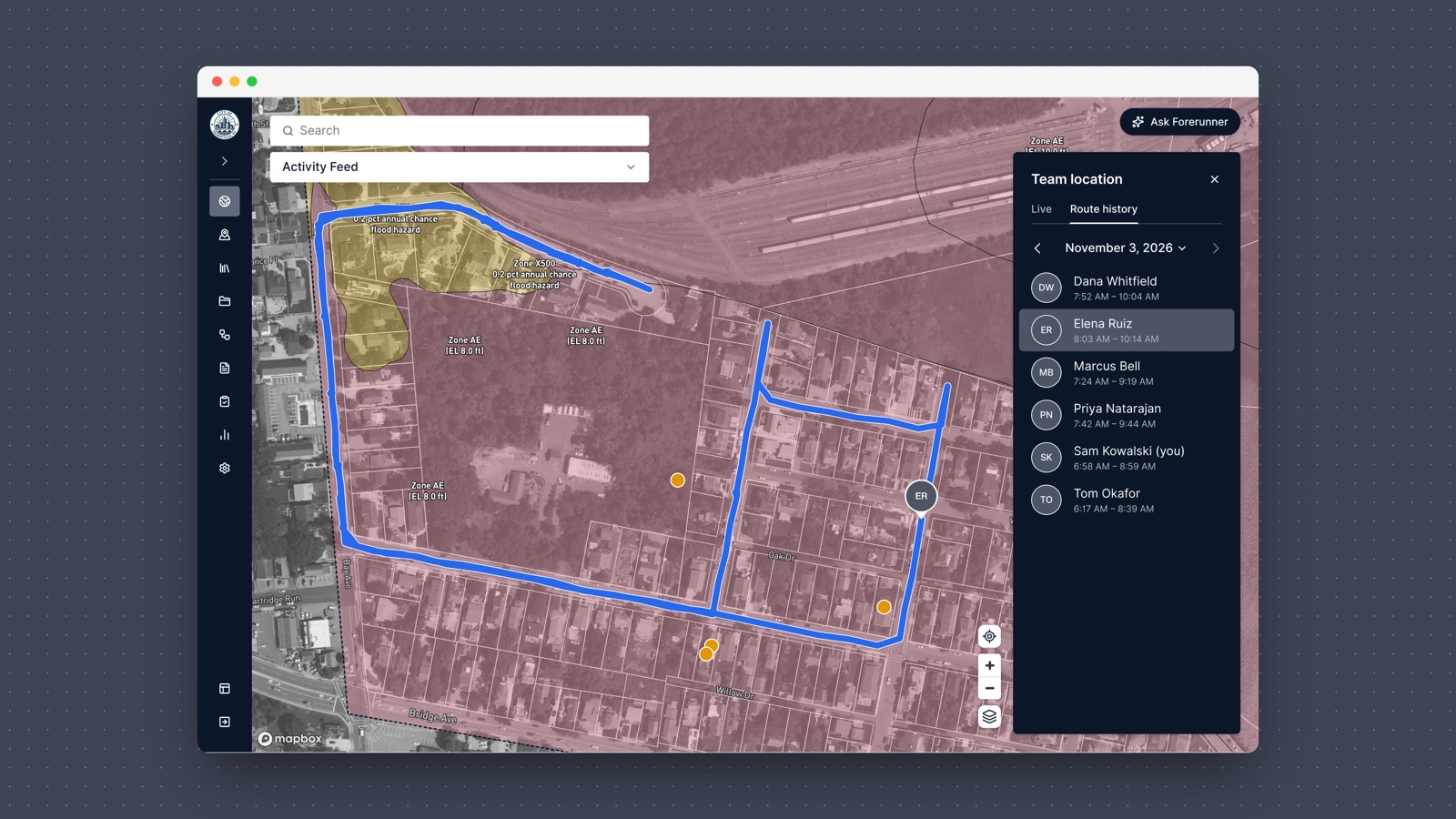
Built for work across the field
The same visibility is useful across a range of field operations.
For code enforcement teams, Route History makes it easier to review where officers have conducted neighborhood sweeps. Public works teams can use it to understand coverage during infrastructure inspections or stormwater assessments. And during emergency response, managers can review where assessment teams have traveled to help coordinate the next day's work.
Rather than relying on separate tools to understand where fieldwork has happened, teams can see that information alongside the records and maps they already use.
Available now in Forerunner
Route History is available on web and mobile. All users can view their own route history, and managers can also review routes for their team.
Routes are recorded while the Forerunner mobile app is open and location permissions and precise location are on, and users can select individual dates to review previous activity.
Learn how to use Route History
FAQ
Ready to see how Forerunner can support your community?
Book a demo