Object Relationships
Summary
Almost nothing in the built environment stands alone. An inlet is part of a stormwater system. A unit is part of a building. A gate is part of a dam. Crews inspect each piece on its own, but managers also need to see the whole system and how every piece fits into it.
Object Relationships lets teams link the things they manage, so each one keeps its own history and still shows what it belongs to. Here's how it works for one stormwater system.
A manager sets it up once in Settings: a stormwater system has many inlets, pipes and ponds.
Out in the field, a crew adds a new inlet in the mobile app and links it to the system it drains into, right from the inlet's Related tab.
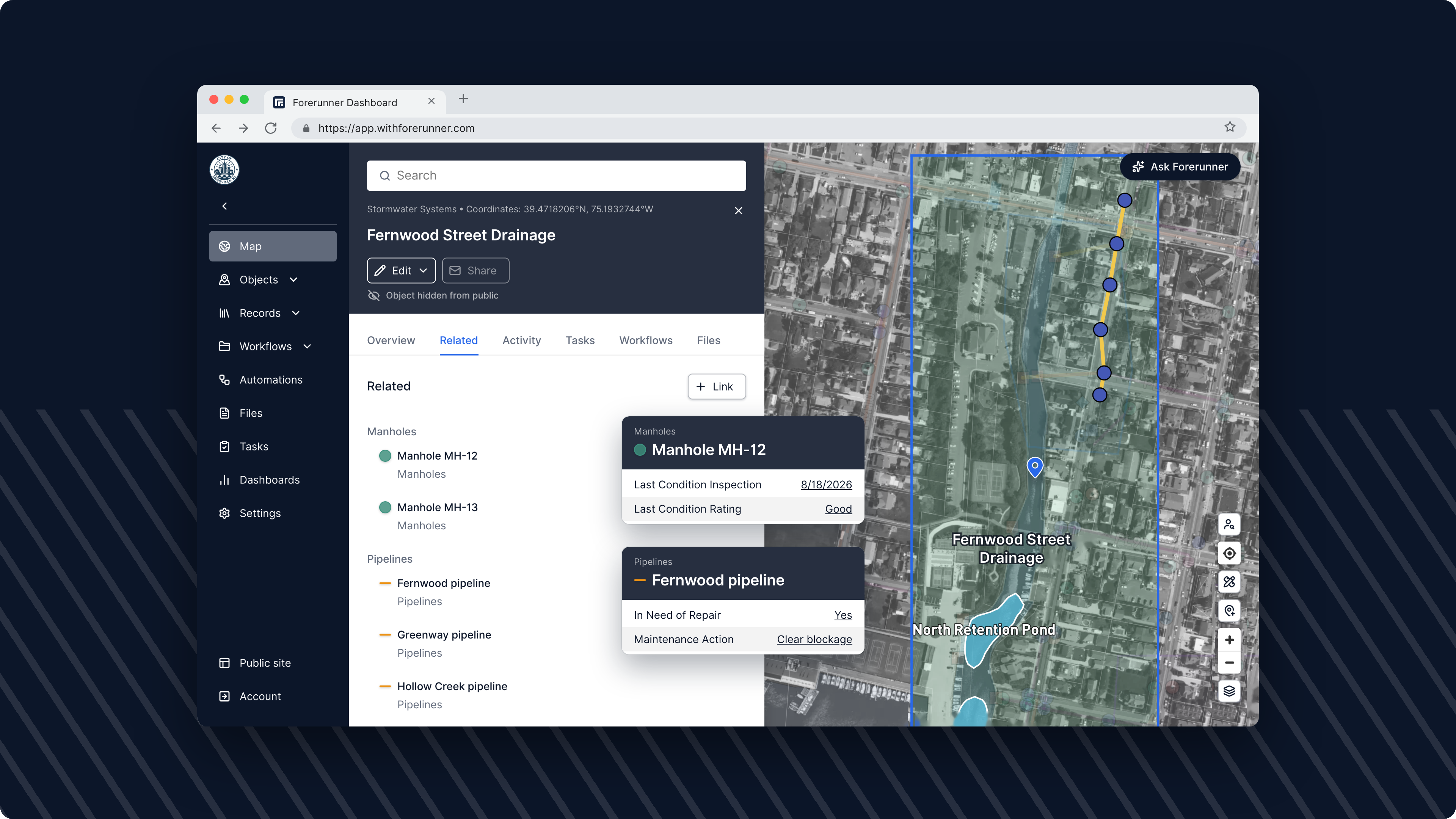
Back in the office, the manager opens the system. The Related tab lists every inlet, pipe and pond, and the map zooms in to show them together.
Click into any inlet and it still has its own inspections and maintenance log, with the system name shown right in its overview.
It works the same way for buildings and their units, and for dams and their gates and valves.
Object Relationships is available now for all customers, on the web and in the mobile app. Read the Object Relationships guide to set up your first one.
FAQ
Ready to see how Forerunner can support your community?
Book a demo