Workflows
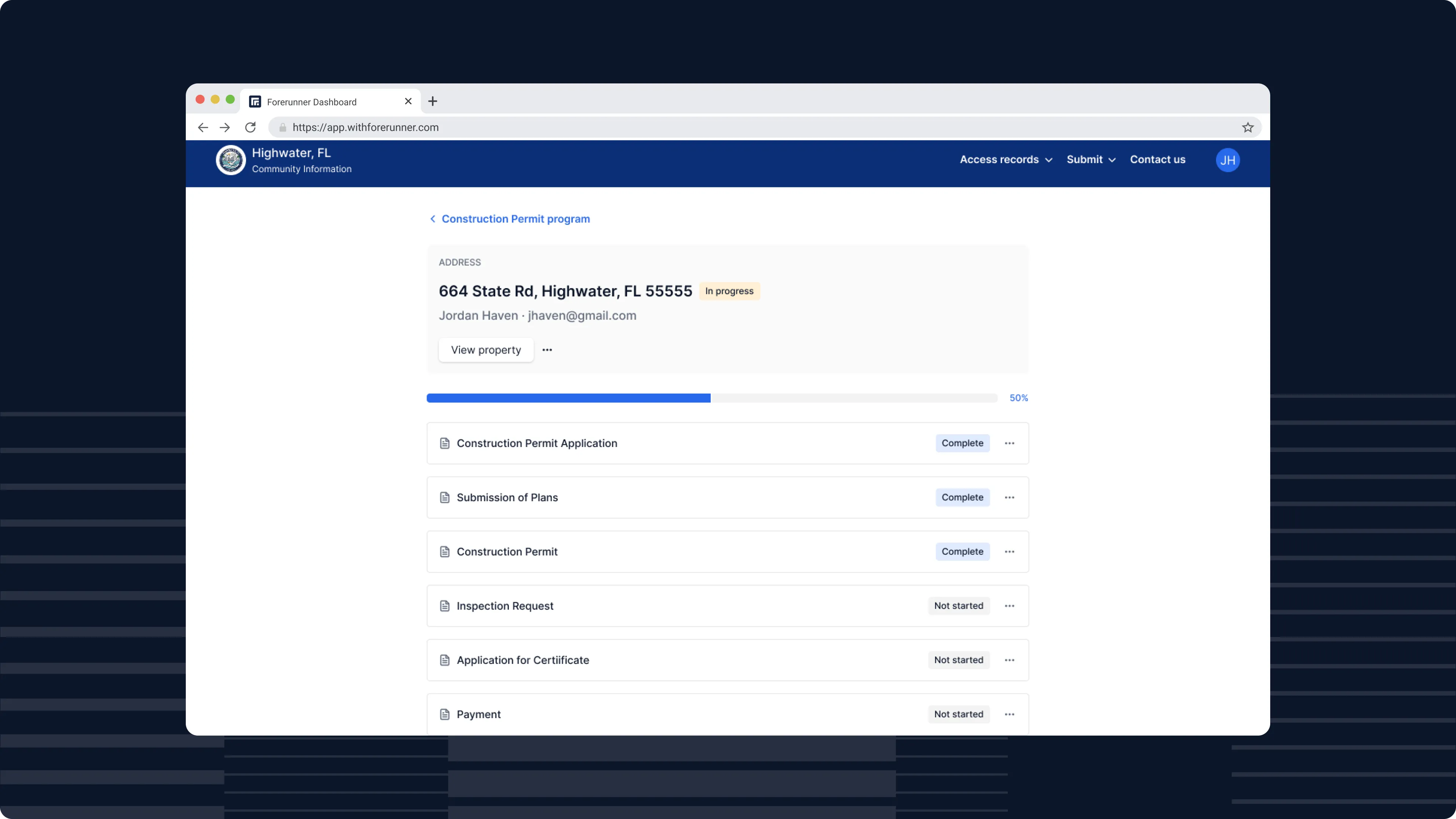
Summary
Workflows allow government teams to define multi-step processes and manage them from start to finish without spreadsheets, paper forms, or disconnected systems.
Each workflow is anchored to a property, so every step, document, and communication lives in one place with full context. Whether it’s a permitting process with sequential stages or a code enforcement case that branches based on inspection results, Workflows adapt to how your team already operates.
Built for collaboration
Workflows bring all stakeholders and touchpoints into one system. Staff can initiate workflows directly from a property, assign steps to specific team members, and track progress across their dashboard.
External users, such as contractors, applicants, and residents, can create accounts to view relevant workflow steps, track progress through clear status indicators, and understand exactly what actions are required of them. Status indicators provide a clear, accurate view of every workflow step - whether it’s locked, open, complete, or not applicable.
When participants need to be added to a specific part of workflow, staff can invite them to that step. The user receives an email, creates an account, and is taken directly to their assigned task - no back-and-forth or manual setup.
Additionally, as workflows evolve, teams can disable or clean them up when they’re no longer needed.
Use cases today
Workflows are already supporting a wide range of government operations:
- Permitting: From application intake through inspections to final approval, with internal and external collaboration in one process
- Code enforcement: Multi-step case management with inspections, re-inspections, and mobile support in the field
- Grant programs: Application review, contractor verification, and approvals with automated notifications at each stage
- Milestone tracking: Large-scale compliance programs managing hundreds of properties through structured phases
Forerunner is continuing to develop Workflows - making them easier to configure, more powerful in what they automate, and more flexible in how they adapt to complex processes.
FAQ
Ready to see how Forerunner can support your community?
Book a demo